
Avoiding Nurse Burnout:
A Scenario-Based E-Learning Experience
This scenario-based e-learning experience is designed to take real-life scenarios to help learners navigate the stressful job of a nurse practitioner. It aims to teach the learner to make the right decisions to avoid nurse burnout.
Audience: Nurse practitioners and any other service providers in the health industry that prioritize efficiency in patient care.
Responsibilities: Research, instructional design, storyboarding, action mapping, interaction, graphic design, creative direction, e-learning development
Tools: Articulate Storyline, Adobe Illustrator, Adobe Photoshop, Adobe After Effects, Camtasia, Adobe XD, Audacity, Draw.io
The Challenge and Solution
The client is a nurse administrator who supervises multiple practitioners at any time. Following the pandemic, she began to see an increase in nurse burnout. Nurse burnout is characterized by a reduction in nurse performance brought on by emotional/physical fatigue, frustration, or lack of motivation. Burnout during a shift can negatively impact patient care and overall health administration business goals.
Current training can be limited in scope when addressing how best to cope with burnout. Because of the sheer enormity of the subject matter which must be consumed for training, there is often little time available to broach the subject.
I recommended a scenario-based e-learning experience to show how work-based choices can help alleviate fatigue or prevent it in the real world.
Process
Action Map
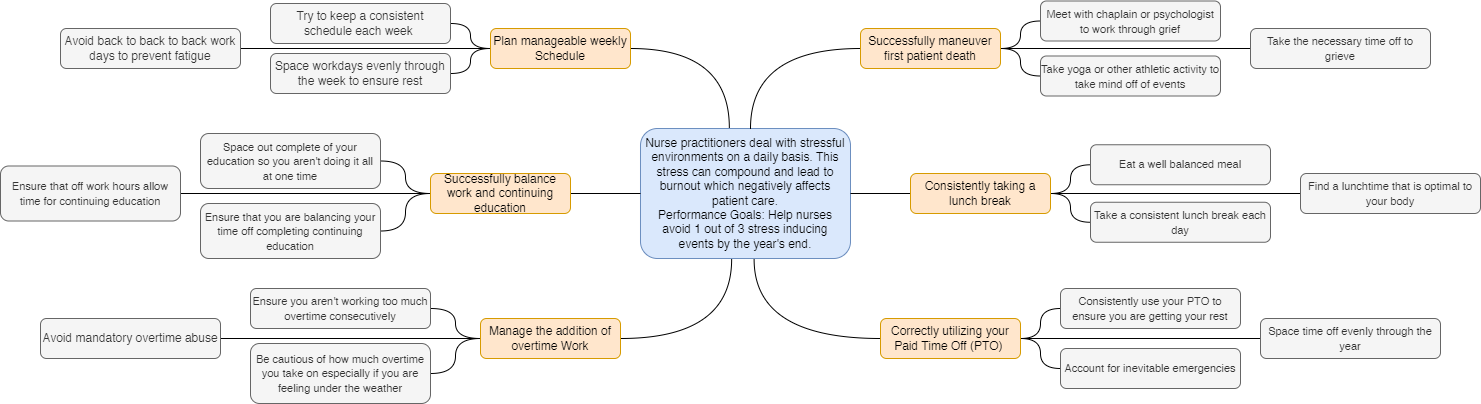
Action mapping was critical to my design process because it allowed me to identify the most appropriate actions that led to the performance goals. My subject matter expert was a nurse practitioner of 7 years. She has a profound understanding of the stresses that appear on the job and can lend her expertise to the learner.
Her aid also allowed us to develop a measurable goal. Once she approved of our actions as a result of said goal, we proceeded to the written storyboard.
Storyboard
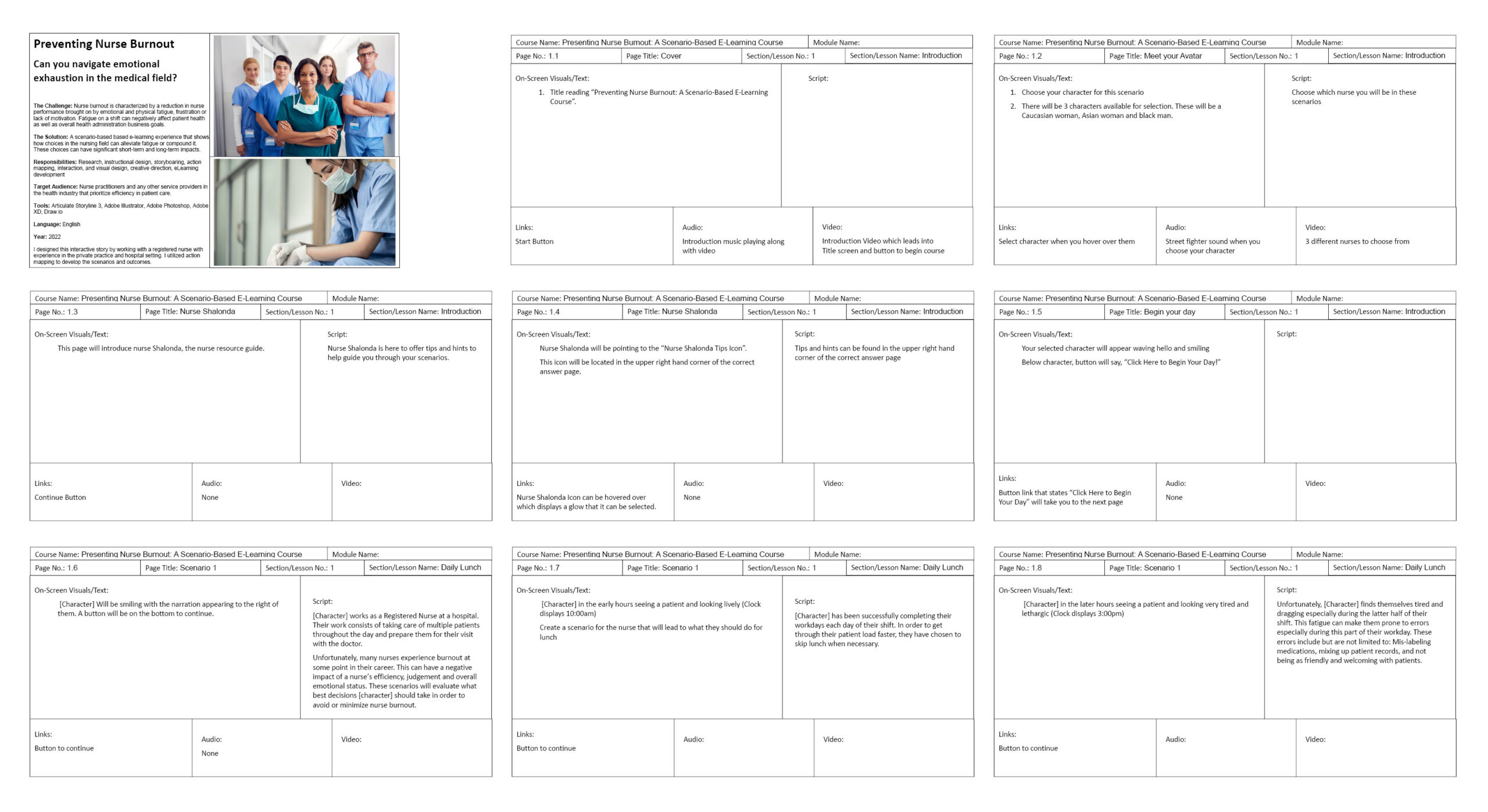
Once the action map was completed and approved, I began to develop the written storyboard. I crafted each scenario as an event that would occur in the workday of a new nurse practitioner.
The learner would encounter a scenario and choose between three options. The incorrect answer would offer a negative result and guide the learner back to the questions, while a correct answer would allow them to proceed to the following scenario.
The SME approved the scenarios and results to ensure they were applicable for real-world usage.
Graphics
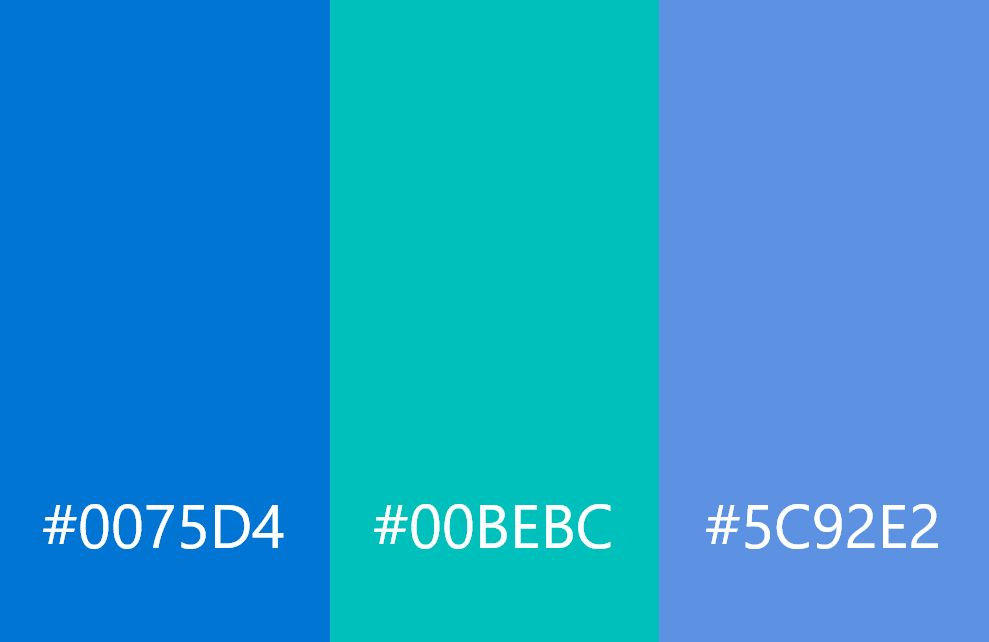
Once I completed the written storyboard, I had to decide how I wanted the visuals to look. I used a combination of Adobe Illustrator and Photoshop to create the layout and characters. I focused on colors typically used in the medical industry, like shades of blue and white, which have a calming effect.
When creating the different characters and avatars, I ensured they were visually diverse to give variety to the user. In terms of tone and environment, curved edges and gradients were a common theme.



Visual Prototype
After the graphics were accepted, crafting the visual storyboard was pretty straightforward. For this task, I utilized Adobe XD. After building each slide and inserting the characters, I placed multiple triggers to mimic the experience of the final design. This allowed the client to offer valuable feedback on each scenario.
Once the Visual Prototype was tested, it was well received and I proceeded to the final development of the Interactive Prototype.

Interactive Prototype
The interactive prototype was developed using Articulate Storyline. I was able to export components from the visual prototype in Adobe XD. This made the final construction simpler. The challenge of transitioning from XD to Articulate Storyline was the incorporation of the avatar. I had to ensure that when the user selected a character, that character was displayed throughout the rest of the scenario. To accomplish this, I utilized variables and conditional triggers.
Interestingly, one of the more challenging tasks came from depicting the “Burnout Meter” on each of the result slides. Because Articulate Storyline didn’t have an animation that could display the movement of the dial, I had to develop this as a gif animation in Photoshop. Linking this animation with the desired triggers and sounds, created a satisfying result.
The final results of the project can be viewed below.
Let's Connect!
I am currently seeking full-time employment.
I would love to see how I can help you achieve your Instructional Design goals!